Independent side project · Design research & software
Play Directory
I built a searchable directory for comparing playground products by how they move, how children interact with them, and the kinds of play they invite. This independent side project turned a question from product development into a working software prototype.
- My contribution
- Classification framework, directory programming, product records, and stakeholder presentation.
- Design challenge
- Make product knowledge explicit so design teams can compare concepts through shared attributes.
- Outcome
- A working desktop prototype with product entry and successive filtering.
01 / The problem
The missing language
In design meetings, evaluating a concept meant drawing on each person’s knowledge of the product range and their understanding of play. I wanted a shared vocabulary that connected appearance, mechanisms, and materials with the experience a product could offer.
I developed Play Directory independently as a side project, outside my formal responsibilities at Playcraft Systems.
The products behind the vocabulary
What these products look like
These four freestanding products appear in the original filtering demonstration. The photos make their different forms and movements easier to compare.
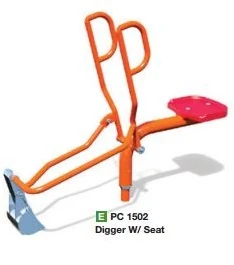
Sand Digger
A seat and hand-operated scoop let a child dig and move sand.
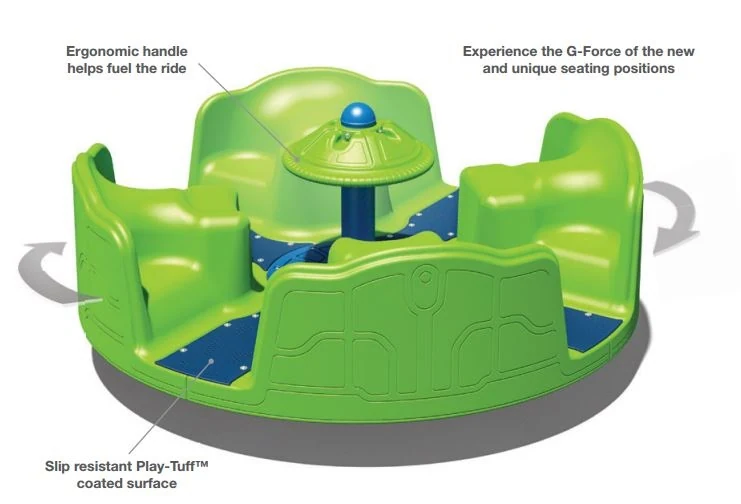
Inclusive Merry-Go-Round
Seats and a central handhold support play together as the platform turns.
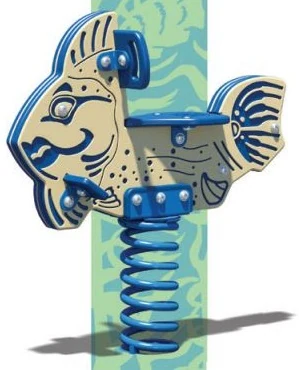
Spring Rider
A themed seat moves with the child on a flexible spring mount.
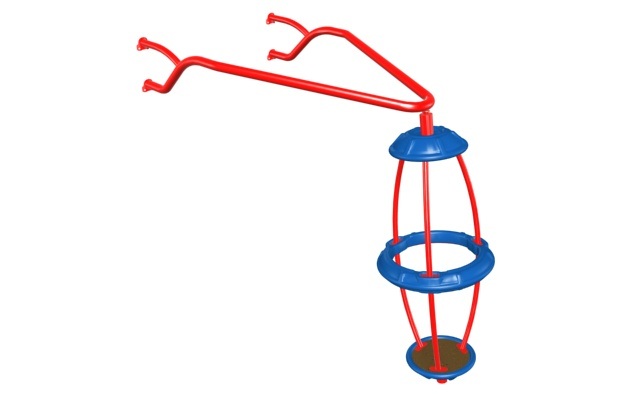
Gyro-Pod
A suspended pod provides a different way to experience rotational movement.
02 / What I built
A searchable framework
I defined the classification framework and programmed the directory in GNU Octave, an open-source alternative to MATLAB. Each product became a record with attributes that could be added, edited, described, and combined in a search.
How the directory is organized
A shared structure for every product
Each product has one record. The framework groups its attributes under physical design and user experience, so products can be described with the same vocabulary.
What it is and how it works
Appearance Aesthetic attributes
- Visual theme
- Brand identity
Construction & movement Functional attributes
- Mechanical linkages
- Material choices
How a child engages with it
Play & interpretation Emotional attributes
- Play types Play theory
- Familiar cues Mental models
Physical interaction Logical attributes
- Body contact Body on product
- Movement experienced Product on body
Selected fields used in the working search
Example record: Inclusive Merry-Go-Round
- Product type
- Freestanding
- Motion
- Rotational
- Play type
- Role Play
Filters compare shared values across product records. Combining these three values leaves one match in the demonstration below.
The original tool in use
The recording shows successive filters narrowing the initial records to the Inclusive Merry-Go-Round. The same product can be considered through several attributes, making the comparison more specific with each choice.
Successive filters
-
01 / Product type
Freestanding
4 matches in the demonstration
Sand DiggerInclusive Merry-Go-RoundSpring RiderGyro-Pod -
02 / Add product motion
Rotational
2 matches share the rotational classification
Inclusive Merry-Go-RoundGyro-Pod -
03 / Add play type
Role Play
1 match shares all three selected values
Inclusive Merry-Go-Round
The categories are proposed descriptions for discussing design. A product can support several classifications at once.
03 / What I learned
Making the idea concrete
I built and presented a working directory that organized playground products by how children interact with them. It turned broad questions about play into specific comparisons and design prompts, and made the reasoning behind each product’s classification visible.